1
Record
Press record in the side panel and do the task like you normally would. Every click becomes a step.
Free · Chrome, Edge & Windows
Click through anything in your browser and ClickToDoc writes the step-by-step guide as you go: a screenshot for every step, an outline around every button you clicked, and titles that read like a person wrote them. Mark it up, then export to Word, PDF, HTML or video.
Invite a teammate
The tour
Recorded with the real extension, sound on: a narrator, the maker talking while clicking, and a little music. Jump to any chapter.
In this video
Captions are on screen, so it works muted too.
How it works
Press record in the side panel and do the task like you normally would. Every click becomes a step.
Rename a step, erase a name, add an arrow. Or skip it: the guide is already readable.
Word, PDF, HTML, Markdown, GIF or MP4. Every format, free, no “upgrade to export”.
The manual
Every clip below is the real extension doing the real thing, cut from the tour.
Part 1
Capture the task the way you already do it.
1Record
Hit record in the side panel and use the site like you normally would. Each click is captured the moment your button goes down, so the screenshot shows the page before it reacts: exactly what your reader will see.
2Narrate
Press the mic and explain what you're doing as you go. You see a live transcript while you speak, and your words land on the step you're on as its description.
The maker's own recording: the transcript appears as they speak.
3Combine
Menus, dropdowns and pickers usually turn into a pile of near-identical screenshots. Press Alt Shift M, click through it, and press it again.
4Control
Part 2
Make it clear, and make it safe to share.
5Annotate
Every step opens in an editor made for marking up screenshots, and what you draw is baked identically into every export.
6Clean up
Names, emails, card numbers: drag over them and smart erase blends the background back in. No black bars unless you want them.
Part 3
Make it look like your organisation made it.
7Make it yours
The template editor is visual: no styles pane, no Word fiddling.
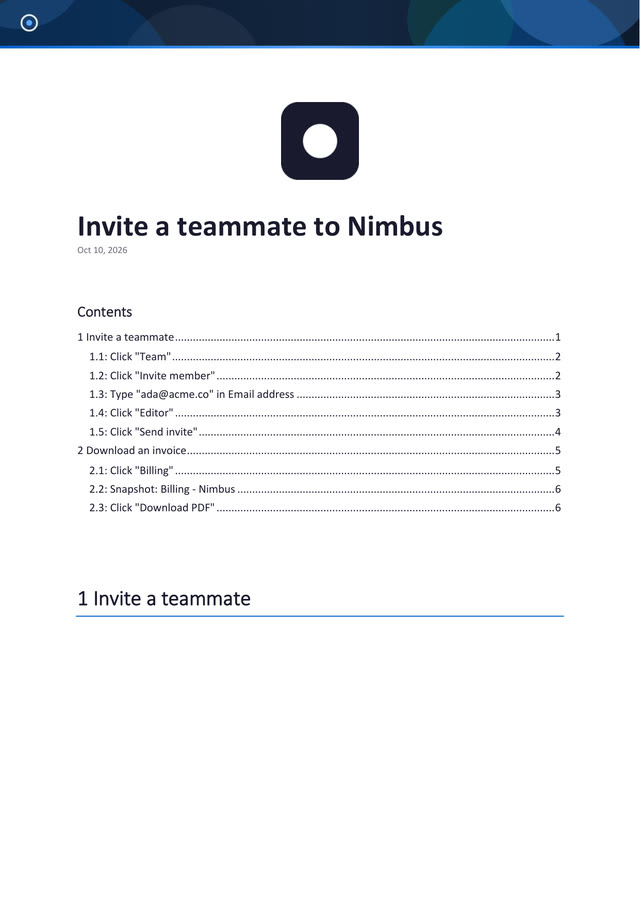
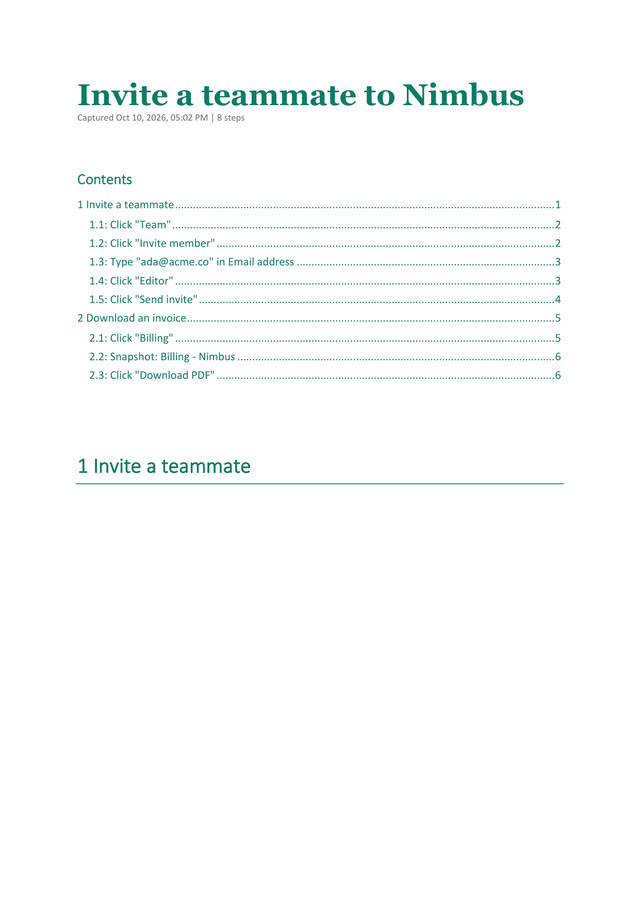
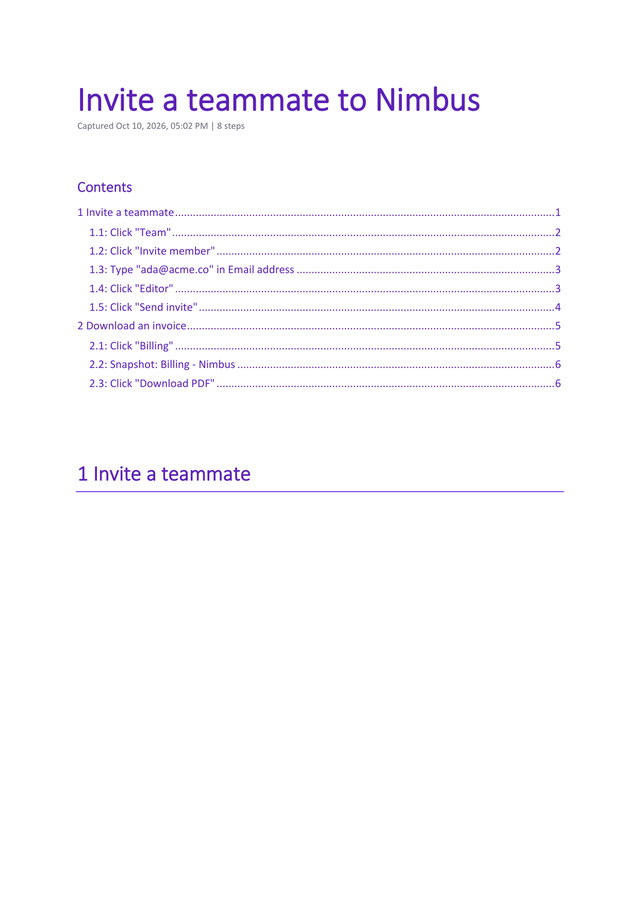
One guide, three templates, rendered by Word itself.
8Export
9Your AI
Connect OpenAI, Google Gemini, Anthropic, OpenRouter, or run fully offline with Ollama or LM Studio. Off by default, and nothing goes through ClickToDoc.
10The web version
Private by design
Your guides live on your computer. No account, no analytics, no telemetry. Nothing is sent anywhere unless you switch on an integration yourself (your Drive, your server, your AI), and then it goes straight there.
Install it and record. There is nothing to sign up for.
Your screenshots never touch a ClickToDoc server, because there isn't one.
Recording, editing and every export run on your machine. Read the privacy policy.
Beyond the browser
Records any application, not just web pages: File Explorer, Office, your company's own tools. The same outline around what you click (through Windows' own accessibility layer), the same combine mode, editor and exports.
Free. Signed by Microsoft and kept up to date by the Store. Windows 10 (1809) or later, 64-bit.
How it compares
Cloud guide recorders are good products. They also keep your screenshots and put the useful parts behind a subscription.
| Feature | The usual cloud tools | ClickToDoc |
|---|---|---|
| Where your screenshots go | Their servers | Your machine |
| Account needed | Yes | No |
| Word / PDF export | Usually a paid plan | Free |
| Bring your own AI, or a local model | No | Yes |
| Works offline | No | Yes |
| Price | Per seat, per month | Free |
There's no hosted dashboard, analytics or team workspace, because nothing is hosted. Sharing means sending the file, or dropping it in your own Drive.
Free, with no paid tier and no plans to add one. There's no server to pay for, so there's nothing to recoup. If it saves you time, there's an optional support button inside the app.
In your browser's own extension storage, on your computer. Scheduled backups write a file to your Downloads folder that you can restore on any machine. Uninstalling the extension removes its storage, so keep a backup.
Only if you turn on an integration: uploading to your own Google Drive, publishing to your own server, or sending a guide to the AI provider you configured. Voice notes use Chrome's speech recognition, which may send audio to Google; it stays off until you press the mic.
Chrome and Edge, from their official stores, and other Chromium browsers (Brave, Arc, Vivaldi, Opera) can install from either store. For recording any application, there is also a Windows app on the Microsoft Store.
Yes: everyone installs it, and you share guides as files (Word, PDF, HTML) or the workflow file. There's no shared online workspace, by design.
Not right now. The extension ships as plain, readable JavaScript, so you can see exactly what it runs, and you can watch the network tab yourself: there are no calls unless you turn on an integration.
Only if you send it, and only to the provider you chose, with your redactions already burned into the screenshots. Pick a local model (Ollama or LM Studio) and nothing leaves your machine at all.
Ready when you are
Free on the Chrome Web Store and Edge Add-ons. Works in any Chromium browser. And the Windows app is on the Microsoft Store.